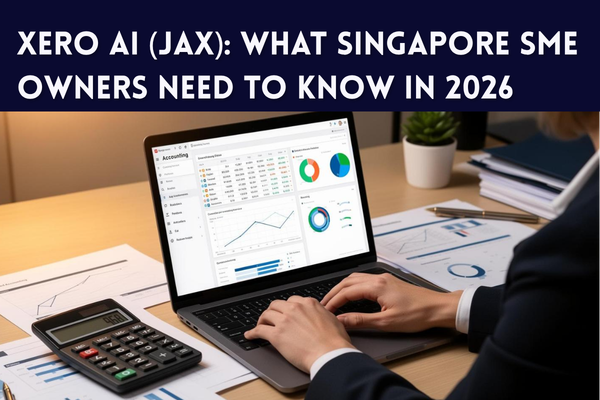
If you use Xero, you have probably noticed new AI-powered features appearing in your dashboard over the past year. Most of it comes from JAX, short for “Just Ask Xero,” Xero’s AI financial assistant. This article explains what JAX actually does, whether it is available for Singapore businesses, and what it means for your day-to-day bookkeeping — without the technical jargon.
What Is JAX (Just Ask Xero)?
JAX is Xero’s built-in AI assistant. Instead of clicking through menus to find a report or reconcile a transaction, you can type or speak a plain-English request — such as “who owes me money this month” or “compare this quarter’s expenses to last quarter” — and JAX pulls the answer directly from your Xero ledger.
Xero describes JAX as an “agentic” system, meaning it does not just answer questions. It can also carry out routine tasks on your behalf, such as drafting invoices, matching bank transactions, or flagging bills that are overdue, and then let you review and approve the result.
How JAX Differs from a Regular Chatbot
- It works directly with your live Xero data, not generic training data, so answers are specific to your business.
- It can complete multi-step tasks (for example, reconciling a batch of transactions), not just answer questions.
- It is available inside Xero itself, and is being extended into everyday tools such as email, WhatsApp, and Microsoft 365.
Is JAX Available for Xero Users in Singapore?
Yes. Xero confirmed Singapore as one of the markets for the JAX beta when it was first announced, alongside other core markets, with a phased rollout of features since. Xero typically releases new AI capabilities in beta first, then expands access gradually across regions and subscription plans.
Feature availability changes frequently and Xero rolls out AI capabilities in phases by plan and region. Before relying on any specific JAX feature, check the “What’s New” section inside your Xero account or ask your Xero advisor to confirm what is live on your subscription.
What Can JAX Actually Do for Your Business?
For an SME owner who is not an accountant, the practical value of JAX falls into a few areas:
- Bookkeeping and Data Entry
JAX can help categorise transactions, draft invoices, and update quotes, reducing the manual data entry that typically falls on a business owner or office manager between bookkeeper visits.
- Bank Reconciliation
Xero has rolled out AI-assisted bank reconciliation that automatically matches a large share of statement lines against your records, cutting down the time spent manually ticking off transactions each week.
- Cash Flow Visibility
Rather than waiting for a monthly report, JAX can surface who owes you money, upcoming bills, and how spending compares to previous periods, in plain language, when you ask.
- Answering Questions in Plain English
You do not need to know which report to run. Asking a direct question inside Xero is often faster than navigating to Reports and configuring filters yourself.
- Working Inside Tools You Already Use
Xero has extended JAX beyond its own platform, including integration with Microsoft 365 tools such as Excel, Outlook, and Teams, so figures and answers can appear where SME owners already spend their day, rather than requiring a separate login.
Other Recent Xero AI Updates Worth Knowing
JAX is part of a broader push by Xero to add AI across the platform. A few other updates from the past year are worth a mention:
- A redesigned, customisable Xero homepage that surfaces cash flow, profit, and outstanding tasks in one view.
- XeroForce, a tool that lets users build custom AI agents using plain-language prompts rather than code.
- Xero Ultra, a tier aimed at growing businesses that need more advanced reporting and financial controls.
Most of these are aimed at larger or fast-growing SMEs. A typical small business will get the most immediate value from the core JAX features: reconciliation, cash flow visibility, and plain-English queries.
Is Your Financial Data Safe With Xero AI?
This is a fair concern for any SME owner handing financial tasks to an AI tool. A few points are worth understanding:
- JAX operates within your existing Xero account permissions — it does not grant new users access to your data.
- Xero states that customer data is not used to train AI models shared across other customers’ accounts.
- You can review and approve AI-suggested actions (such as a reconciliation match) before they are finalised, rather than having changes applied automatically without oversight.
If data handling is a compliance concern for your business, it is worth reviewing Xero’s current AI and data use policy directly, as terms can be updated as new features roll out.
What Singapore SME Owners Should Do Now
You do not need to overhaul how you use Xero to benefit. A practical starting point:
- Check your Xero subscription plan to see which AI features are already included.
- Look at the “What’s New” or notifications panel inside Xero for JAX-related prompts.
- Try a simple query first, such as asking JAX who owes you money, before relying on it for anything critical.
- Keep your bookkeeper or accountant in the loop — AI speeds up data entry and reconciliation, but it does not replace professional review, especially around GST and IRAS filings.
- If you are unsure whether your current Xero setup is configured to take advantage of these features, get your file reviewed rather than guessing.
Is JAX Worth It for a Small Business?
For most Singapore SMEs, the honest answer is: it depends on how much manual bookkeeping you are still doing. If you or your staff spend hours each week on data entry, chasing invoices, or reconciling bank statements, JAX-driven automation can meaningfully cut that time. If your books are already handled entirely by an external accountant using their own workflow, the day-to-day impact will be smaller, though your accountant may still benefit from faster reconciliation on their end.
Getting the Most Out of Xero for Your Business
New AI features are only useful if your underlying Xero file is set up correctly — accurate chart of accounts, proper bank feed connections, and clean historical data. Many SMEs are running Xero with gaps in their setup that limit what tools like JAX can actually do for them.
361DC works with Singapore SMEs to set up, clean up, and optimise their Xero accounts so features like JAX deliver real time savings, not just notifications. If you would like your Xero file reviewed, contact us at 6515 7906 or enquiry@361dc.com.
Frequently Asked Questions
JAX stands for “Just Ask Xero,” Xero’s AI-powered financial assistant built into the accounting platform.
Availability and pricing for AI features can vary by plan and are updated by Xero periodically. Check your Xero dashboard or your Xero partner to confirm what is included in your current plan.
No. JAX is designed to be used with plain-English questions and requests, so no coding or technical setup is required to start using the basic features.
JAX can help organise and reconcile the data that feeds into your GST reporting, but GST filing to IRAS should still be reviewed by a qualified accountant or bookkeeper before submission.
No. JAX automates repetitive data tasks, but professional judgement is still needed for compliance, tax planning, and reviewing exceptions — particularly for Singapore-specific requirements like GST and IRAS reporting.
Check the notifications or “What’s New” panel inside your Xero dashboard, or ask your Xero advisor to confirm which AI features are enabled on your plan.
Xero states customer data is not shared across other customers’ accounts to train AI models. For the most current terms, review Xero’s published data and AI policy.