A practical guide for SME owners, accountants and finance teams
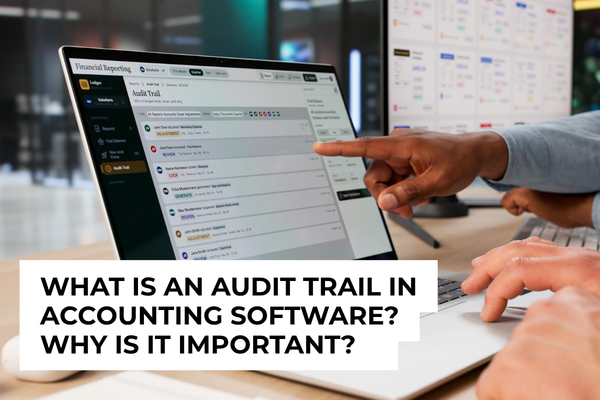
An audit trail is a time-ordered record of activity in business software. It shows who created, changed, approved or deleted a record, what was changed and when it happened. For SME owners and accountants, this makes transactions easier to understand, mistakes easier to correct and important activities easier to review.
The name may sound formal, but the idea is simple. An audit trail is the software’s memory. When several people work in the same accounting, ERP or business system, it gives everyone a reliable history instead of depending on memory, messages or handwritten notes.
What does an audit trail record?
The exact details depend on the software, but a useful audit trail normally records:
- User: the person or system that performed the action
- Date and time: when the activity took place
- Action: whether a record was created, edited, approved, cancelled or deleted
- Change: which information was changed, sometimes including the previous and new values
- Record: the invoice, payment, customer, supplier, stock item or other entry involved
For example, if an invoice amount changes from $5,000 to $4,500, the audit trail may show who made the change, when it was made and what the earlier amount was. This lets the finance team understand the situation quickly without asking several people to reconstruct what happened.
Why is an audit trail important?
1. It makes changes easier to understand
Accounting records change for many normal reasons. A customer may request a revised invoice, a supplier may send an updated bill or an accountant may correct an account code. The audit trail gives these changes a clear history, so the latest figure is easier to explain.
2. It helps teams correct mistakes faster
If a figure looks unusual, the accountant can review the record’s history before checking emails or asking every user. Seeing the earlier value and the person who made the update often makes it easier to find the source and correct it.
3. It supports better approvals
In software with approval workflows, the audit trail can show who submitted, reviewed and approved a transaction. This gives owners a clearer view of how payments, purchases or expenses moved through the business.
4. It gives owners better control as the business grows
When only one person manages the accounts, it may be easy to remember most changes. As more employees, branches or departments use the same software, that becomes difficult. An audit trail keeps the history organised without adding another manual spreadsheet or form.
5. It makes reviews and audits smoother
Accountants, management and external auditors may need to understand how a number was produced or why a transaction was changed. A clear audit trail provides useful supporting information and reduces the time spent searching for explanations.
Is an audit trail only for accounting software?
No. Audit trails are useful anywhere important business records are created or changed. They can be found in ERP systems, inventory software, payroll and HR systems, expense applications, CRM platforms and approval tools.
In an ERP system, for example, the audit history may connect activities across purchasing, inventory, sales and finance. This can help a business follow a transaction from the original request to the final accounting entry.
Is an audit trail the same as a backup?
They serve different purposes. A backup helps restore data if information is lost or a system needs to be recovered. An audit trail records the history of activity inside the system. A well-managed business may need both, but one does not replace the other.
Do Xero and QuickBooks have audit trails?
Yes, although the feature names differ. Xero’s History and notes report shows date-stamped changes and the user who made them. QuickBooks Online’s Audit log records account activity and helps users review transaction histories. Access and coverage can depend on the product version and user role, so check the details for your subscription.
What should an SME check when choosing software?
You do not need to assess every technical detail. Start with a few practical questions:
- Individual user accounts: Can each employee use a separate login, so activity is linked to the correct person?
- Useful details: Does the history show the date, user, action and important changes?
- Easy searching: Can accountants filter by date, user or transaction type?
- Appropriate access: Can viewing rights be limited to owners, managers or authorised finance users?
- Export options: Can the history be exported when a review or audit requires it?
- Coverage: Which records and actions are included, and how long is the history kept?
The best audit trail is one your team can understand and use. A long technical log is less helpful if the information is difficult to find or does not clearly explain the change.
A simple feature that brings clarity
An audit trail is not about making work more complicated. In most modern cloud systems, the history is recorded automatically while employees continue with their normal tasks. The value appears when someone needs to answer a simple question such as, ‘Who changed this invoice?’ or ‘Why is this amount different?’
For SMEs, this creates clearer records, faster corrections and more confidence in the information used to run the business. When selecting or improving accounting, ERP or other business software, audit trail capability is a small feature worth checking.
Need help choosing business software with the right controls?
361 Degree Consultancy helps Singapore SMEs select and implement accounting, ERP and integrated business software that fits their operations.
Speak with us: 6515 7906 | enquiry@361dc.com
Frequently Asked Questions
The terms are often used in the same way. Both refer to a chronological record of activities and changes in a system. Some software vendors use one name instead of the other.
It does not prevent every mistake, but it helps the business understand what changed and correct issues faster. When combined with user permissions and approval workflows, it also supports stronger everyday controls.
Many systems record when a supported transaction is deleted and who deleted it. The exact information depends on the software, subscription and type of record.
A good audit trail should be protected from normal users changing its history. Ask the software provider what administrators can do and how long records are retained.
There is no single schedule for every business. Finance teams can review it when investigating a change, closing a period, checking selected activities or preparing for an audit. High-value or unusual transactions may deserve more regular attention.
If more than one person uses the system, important figures can be edited or approvals matter, an audit trail is highly useful. Even a small business benefits from having a clear history when questions arise.